
Verification of Deposit
Verification of Deposit (VOD) is the most common verification service used in mortgage lending. It confirms current consumer account balances and account details as part of the loan qualification process, providing essential documentation for underwriting and loan approval.
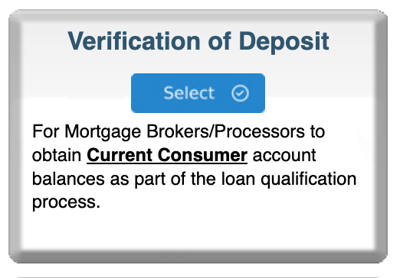
Step 1: Start Your Order
-
Log in to bankVOD
-
Click ORDER A VERIFICATION
-
Find Verification of Deposit card
-
Click blue Select button
Step 2: Choose Verification Type
You'll see two options:
For Real-Time:
-
Look at Option 1 box
-
Use search field to find bank
-
Click "Select Bank" button
-
Proceed to order form
For Standard:
-
Scroll to Option 2
-
Find borrower's bank card
-
Note processing time and price
-
Click blue "Select" button on bank card
Step 3: Complete the Order Form
Your Information:
-
Your Name: First and Last
-
Your Email: CRITICAL - where VOD will be sent
-
Date: Today's date
-
Tracking Number: Your loan file number
Borrower Information:
-
Full Name: First, Last (as on bank account)
-
Middle Name: Optional but recommended
-
SSN: Full 9-digit Social Security Number
For Real-Time Option:
-
Borrower Email: Where authorization email will be sent
-
Check box if using electronic authorization
Step 4: Add Account Information
For Each Account:
-
Account Type: Select from dropdown (Checking, Savings, Money Market, CD)
-
Account Number: Enter if known (optional but helpful)
-
Effective Date: Today's date or current date
Can add multiple accounts (multiple rows available)
Important: All accounts in one order must be at same bank
Step 5: Add Comments (Optional)
Use for:
-
Special circumstances
-
Urgent timeline
-
Multiple accounts clarification
Example: "Verify both checking accounts. Closing 11/30/2025."
Step 6: Upload Documents
Required:
-
Borrower authorization
Recommended:
-
Voided check (for checking accounts)
-
Recent bank statement
-
ID if required
Step 7: Select Payment & Submit
Payment:
-
Real-Time: $17.50
-
Standard: Varies by bank
Review:
-
✓ Your email correct
-
✓ Borrower information accurate
-
✓ All accounts added
-
✓ Correct bank selected
Submit and save confirmation number
After You Submit
Real-Time Verification:
-
Borrower receives email (if electronic authorization)
-
Borrower authorizes via email link
-
Report generates instantly after authorization
-
Delivered to your email
Standard Verification:
-
bankVOD contacts bank
-
Bank processes request
-
Report delivered in 1-7 business days (varies by bank)
-
Email notification when complete