
Verification of Occupancy
Verification of Occupancy (VOO) is a specialized verification service designed to detect occupancy fraud and identity misrepresentation in mortgage lending. This service helps mortgage brokers, lenders, and auditors uncover discrepancies between a borrower's stated occupancy status and their actual property usage, both during loan origination and in post-funding quality control reviews.
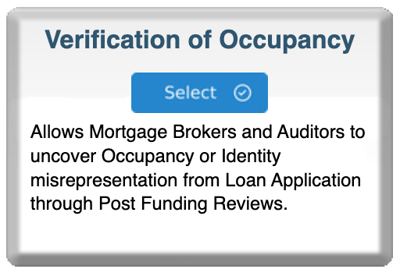
Step 1: Review Information Popup
-
Log in to bankVOD
-
Click ORDER A VERIFICATION
-
Find Verification of Occupancy card
-
Click blue Select button
-
Read popup information
-
Click "Sample" if want to see example report
-
Note contact info for volume pricing
-
Click OK
Step 2: Complete the Order Form
Your Information:
-
Your Name: First and Last
-
Your Email: Where VOO report will be sent
-
Date: Today's date
-
Tracking Number: QC sample ID or loan number
Property Information:
-
Property Address: Complete street address
-
Unit Number: If condo/townhome
-
City, State, ZIP: Complete address
-
Property Type: Select from dropdown
-
Transaction Type: Purchase or Refinance
Borrower Information:
-
Primary Borrower: Full legal name
-
Co-Borrower: If applicable
-
SSN: Full 9-digit Social Security Number
-
Date of Birth: Borrower's DOB
-
Contact Info: Phone, email if available
Step 3: Document Loan Details
Loan Information:
-
Loan Number: Your file number
-
Loan Application Date: When borrower applied
-
Loan Closing Date: When loan closed
-
Move-In Date: When borrower claimed they'd occupy
Occupancy Representation:
-
What did borrower claim? (check box)
-
Primary Residence
-
Second Home
-
Investment Property
-
This is critical - you're documenting what borrower CLAIMED so VOO can verify if true
Step 4: Add Comments
Include:
-
Purpose of verification
-
Specific concerns
-
Timeline information
-
Any red flags observed
Examples:
-
"Post-closing QC review - verify primary residence as claimed"
-
"EPD investigation - loan defaulted after 6 months"
-
"Property immediately listed for rent after closing"
-
"Borrower has homestead exemption on different property"
Step 5: Upload Documents
Required:
-
Loan application (1003) showing occupancy claim
-
Occupancy certification from closing
Recommended:
-
Closing disclosure
-
Property insurance declaration
-
Any suspicious documentation (rental listings, etc.)
Step 6: Select Payment & Submit
Pricing:
-
Contact Timothy Portley for current pricing
-
Volume discounts available
Review:
✓ Property address complete and accurate
✓ Borrower information correct
✓ Occupancy claim documented
✓ Comments explain verification purpose
Submit and save confirmation number