
Assets Report
The Assets Report, also known as Verification of Asset (VOA), provides digital asset verification delivered in seconds. This fast and secure automated process generates a detailed report of a borrower's historical transactions, making it ideal for mortgage loan applications requiring quick asset documentation.
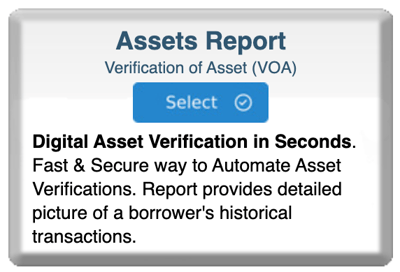
Step 1: Start Your Order
-
Log in to bankVOD
-
Click ORDER A VERIFICATION
-
Find Assets Report card
-
Click blue Select button
Step 2: Choose Day1Certainty or Standard
You'll see popup asking about Day1Certainty:
Select one:
-
bankVOD (Standard) - for most loans
-
Day1Certainty - if loan qualifies for Fannie Mae program
Click on your choice, then click OK
Step 3: Complete the Order Form
Your Information:
- Your Name: First and Last
- Your Email: Where completed report will be sent
- Date: Today's date
- Tracking Number: Your loan file number
Borrower Information:
- Full Name: First, Middle, Last (exactly as on bank accounts)
- SSN: Full 9-digit Social Security Number
- Borrower Email: CRITICAL - where verification request goes
- Important: Verify borrower's email is correct. They'll receive an email to authorize the verification.
- Important: Verify borrower's email is correct. They'll receive an email to authorize the verification.
Step 4: Select Number of Months
Dropdown Menu:
- 2 months - $17.50 (standard)
- 3 months - higher price
- 4+ months - available if needed
Most Common: 2 months (sufficient for most mortgage applications)
Step 5: Add Bank Accounts
For each bank account:
- Search for bank name - Type in search box
- Enter a full account number
- Click Add Account button
- Account appears in list below
- Repeat for each account (up to 5 banks per report)
Remove accounts: Click X next to account if added by mistake
Important Note: BBVA accounts should now be entered as PNC (bank merger)
Step 6: Select Payment
Choose payment method:
- Credit card on file
- New credit card
Cost: $17.50 for 2-month report (covers up to 5 banks)
Step 7: Review and Submit
Before clicking Submit, verify:
✓ Your email address correct
✓ Borrower's email address correct (CRITICAL!)
✓ Borrower's name matches bank accounts
✓ SSN accurate (9 digits)
✓ All bank accounts added
✓ Number of months correct
Then:
Check authorization
Click Submit Order
Save confirmation number
After You Submit - The Process
Step 1: Borrower Receives Email (within minutes)
- Email from bankVOD sent to borrower
- Contains secure verification link
- Instructions to complete authorization
Step 2: Borrower Completes Verification
Borrower must:
- Open email from bankVOD
- Click verification link
- Log into each bank account
- Authorize release of information
- Confirm and submit
Timeline: Borrower typically has 30 days to complete
Step 3: Report Generated (seconds to minutes)
- After borrower authorizes
- System retrieves account data electronically
- Report generated instantly
- Status: "Completed"
Step 4: Report Delivered
- Emailed to your address
- Available in MY ORDERS
- Usually within minutes of borrower completing verification