
VOD-S
The VOD-S (Verification of Deposit & Statement) service provides the average balance for the past two months and includes bank statements with transactions. This comprehensive verification gives you both balance history and detailed transaction information for thorough financial analysis.
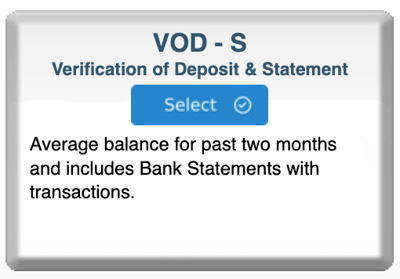
Step 1: Start Your Order
- Log in to bankVOD
- Click ORDER A VERIFICATION
- Find VOD-S (Verification of Deposit & Statement) card
- Click blue Select button
Step 2: Select the Bank
You'll see cards for different financial institutions showing:
- Bank name
- Processing time (in business days)
- Price
How to Choose:
- Select the bank where borrower holds account(s)
- Check recent bank statement for correct bank name
- Click Select on the correct bank card
Step 3: Complete the Order Form
Your Information:
- Your Name: First and Last
- Your Email: CRITICAL - where VOD-S will be sent
- Date: Today's date or verification request date
- Tracking Number: Your loan file number (best practice)
Borrower Information:
- Borrower Name (Primary): Full legal name
- Borrower Name (Secondary): Co-borrower if applicable
Step 4: Enter Account Information
You can verify up to 5 accounts simultaneously.
For each account, provide:
- Account Type: Select from dropdown (Checking, Savings, Money Market, etc.)
- Account Number: Complete account number
- Effective Date: Date for verification
Tips for Account Information:
- Use exact account numbers from bank statements
- Include all accounts needed for loan qualification
- Verify account type matches bank records
- Double-check account numbers for accuracy
Step 5: Add Comments (Optional)
Use the Comments box to include:
- Special instructions for verification
- Additional context about accounts
- Specific requirements or timeframes
- Any questions or clarifications needed
Step 6: Upload Documents
Required:
- Borrower authorization (signed loan application)
Recommended:
- Recent bank statements (helps verify account numbers)
- Shows account types and bank information
Step 7: Select Payment
Choose payment method:
- Bill to account (most common)
- Credit card on file
- New credit card
Cost: Varies by bank (displayed on bank selection card)
Step 8: Review and Submit
Before clicking Submit, verify:
✓ Your email address is correct✓ Correct bank selected
✓ All account numbers accurate
✓ Account types selected correctly
✓ Borrower name matches bank records
✓ Documents uploaded
Then:
- Check authorization box
- Click Submit Order
- Save your confirmation number