
4506-C IRS Tax Transcripts
4506-C IRS Tax Transcripts service allows you to request official IRS tax transcript documents for verification purposes in lending, underwriting, and financial analysis. This service provides verified income information directly from the IRS.
IMPORTANT: IRS Credentialing Required BEFORE Ordering
Due to IRS requirements, you MUST complete credentialing before ordering any tax transcripts. This is a one-time process per company.
Step 1: Select 4506-C IRS Tax Transcripts Program
- Log in to bankVOD
- Navigate to "Select a Program" page
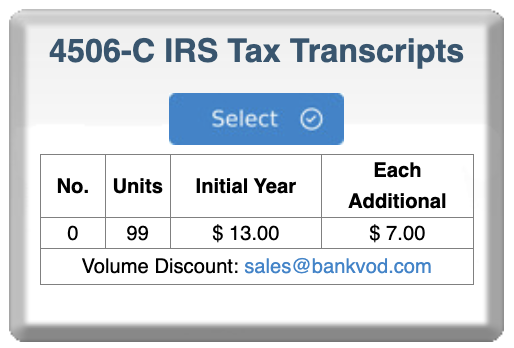
- Locate the 4506-C IRS Tax Transcripts card
- Click blue Select button
Step 2: Complete IRS Certification of Compliance (REQUIRED)
After clicking Select, you'll see a popup modal: "IRS CERTIFICATION OF COMPLIANCE"
Important Notice: "Due to the nature of the information you are requesting and regulatory compliance, we require credentialing prior to ordering 4506 tax transcripts."
Why Credentialing Is Required:
The IRS has strict authentication standards to protect taxpayer information. All participants using the Income Verification Express Service (IVES) must be credentialed and certified.
Purpose:
- Protect taxpayer information
- Prevent identity theft and fraud
- Ensure only authorized parties access tax data
- Comply with federal privacy laws
- Maintain chain of custody documentation
Good News: This credentialing process is typically completed once per company. After approval, you can order transcripts without re-credentialing unless your information changes.
Complete the IRS Certification Form
Required Field 1: Name of Company Official
Enter the name of your Company President, CEO, or OFFICIAL acting on behalf of your company.
Required Field 2: Last Four Digits of SSN
Enter the last four digits of the Social Security Number of the Company Official.
Format: Enter the last 4 digits only
Why Required:
- Verifies identity of the official
- IRS uses for authentication
- Only last 4 digits required (not full SSN)
- Encrypted and secure
Required Field 3: Parent Company EIN
Enter your Parent Company's Employer Identification Number (EIN).
Format: 9 digits (typically 12-3456789)
Required Field 4: Parent Company Name
Enter your parent company name exactly as it appears in IRS records.
Required Field 5: Business Primary Physical Address
Enter the primary physical address of your business.
Required Field 6: Business Phone Number
Enter your business phone number.
Format: (__) -
Compliance Acknowledgment
Important Statement: "I understand that failure to meet the requirement and/or maintain the required documentation may result in the removal of my organization from further participation in the IRS INCOME VERIFICATION EXPRESS SERVICE (IVES) program."
Final Attestation Checkbox
Check the box to confirm:
- All information provided is accurate and true
- You will maintain required documentation
- Your company will follow IRS requirements
- You understand consequences of non-compliance
- Authorized individuals have been properly verified
- Company has appropriate procedures in place
CAPTCHA Verification
- Enter the code shown in the image
- Proves you're human, not automated bot
- Case sensitive - match uppercase/lowercase
Submit Your Certification
Click "Submit" to complete your IRS Certification of Compliance.
Contact for Questions:
- Sean Dunlea: 630-483-4224 / sdunlea@bankvod.com
- Timothy Portley: 401-841-9090 / tportley@bankvod.com
After Submission
Processing:
- Your certification submitted to bankVOD
- bankVOD processes and verifies information
- Information submitted to IRS for approval
- May receive follow-up if additional information needed
- Once approved, you can order transcripts freely
Step 3: Credentialing Status Check
If Not Yet Approved:
If you try to order before approval, you'll see: "4506C Verification" Modal
Message: "Due to the nature of the information you are requesting and regulatory compliance, we require credentialing prior to ordering 4506 tax transcripts."
Status: "Access to the following platform has not been approved. If you have any questions, please contact client support cs@bankvod.com"
Action Required:
- Click "OK" and wait for approval notification
- Check email for approval notification
- Contact support for status updates
Step 4: Ordering Transcripts (After Approval)
Once Credentialed:
After approval, you can order tax transcripts through standard bankVOD order process.
What You'll Need:
Required Information:
- Taxpayer's full legal name (as filed on tax return)
- Social Security Number (SSN) or Employer Identification Number (EIN)
- Current address (or address on file with IRS)
- Date of birth
- Tax years needed
- Signed Form 4506-C from taxpayer (authorization)
Form 4506-C Authorization
Critical Requirement: You must have a signed Form 4506-C from the taxpayer authorizing the release of their tax information.
Form 4506-C Includes:
- Taxpayer information
- Years requested
- Purpose of request
- Third-party designee information
- Taxpayer signature and date
Who Can Sign:
- Individual taxpayer
- Both spouses (if married filing jointly)
- Authorized representative with power of attorney
- Corporate officer (for business returns)
Form Validity:
- Must be signed within 120 days of submission
- Signature must be original (no photocopies accepted by IRS)
- Electronic signatures acceptable if compliant
- Must specify tax years requested
Complete Order Form:
Follow standard bankVOD order process to submit transcript request with:
- Taxpayer information
- Tax years requested
- Signed authorization uploaded
- Payment selection
Processing Time:
- Standard processing: 3-5 business days
- IRS delays possible during peak season (Jan-Apr)