
Loan Payoff
Loan Payoff provides the exact amount required to completely satisfy and close a loan. Use this service for refinancing transactions, property sales, debt consolidation, and accurate payoff calculations.
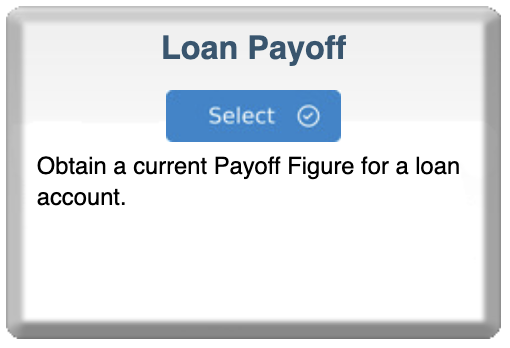
Step 1: Select Loan Payoff
- Log in to your bankVOD Consumer Requestor account
- Click ORDER A VERIFICATION from the Main Menu
- Locate the Loan Payoff card
- Review the description: "Obtain a current Payoff Figure for a loan account"
- Click the blue Select button
Step 2: Select the Bank
Click Select on the appropriate bank card.
Step 3: Enter Return Fax Number
Results are delivered via fax.
• Format: (###) ###-####
Step 4: Complete Order Information
Your Information
- Your Name: Enter your first and last name (you as the requestor)
- Your Email: Where you'll receive order confirmations and status updates
- Date: Enter today's date (MM/DD/YYYY)
- Tracking Number: Enter loan file number, borrower name, or property address
Step 5: Enter Borrower Information
Borrower Name (Primary)
- Enter legal name as appears on loan
- Match name on loan documents exactly
- Include suffixes (Jr., Sr., III) if applicable
For individual loans: First name and last name
For business loans: Legal business name (e.g., ABC Properties, LLC)
Borrower Name (Secondary) (If Applicable)
- Enter co-borrower name if loan has multiple borrowers
- Required for joint loans
- Leave blank if no co-borrower
Step 6: Add Comments
Optional to include any supporting information in an open text field.
Step 7: Upload Documents
Required: Authorization signed by the borrower
Upload:
- Signed authorization from borrower
- Copy of loan statement
- Purchase agreement (if sale)
- Refinance application (if refi)
- Power of attorney (if applicable)
Step 8: Select Payment Type
Choose your payment method:
- Credit card on file
- New credit card payment
- Invoicing (if approved)
- ACH payment (if configured)
Step 9: Review and Submit
Pre-Submission Checklist:
- Fax number is correct and operational
- Correct bank selected (holds the loan)
- Email address is accurate
- Borrower name(s) match loan exactly
- Comments include desired payoff date
- Authorization uploaded
- Payment method selected
Click Submit Order
What's Next
Immediate Confirmation
You'll receive an email with:
- Order reference number
- Bank selected
- Fax number where payoff will be sent
Factors affecting timeline:
- Bank workload
- Loan complexity
- Mortgage vs. other loan types
- Accuracy of information provided