
Employment Verification
Employment Verification confirms employment status and income information for current or former employees. Use this service for mortgage lending, background checks, rental applications, and other authorized purposes.
Two Service Options
Employment ONLY - $24.95 (in-network)
- Employment status (active/inactive)
- Job title and dates of employment
- Employer name and location
- Best for: Background checks, rental applications, simple confirmations
Employment & Income - $27.95 (in-network)
Everything in Employment ONLY, plus:- Base salary or hourly wage
- Year-to-date earnings
- Bonus and commission income
- Pay frequency and compensation details
- Best for: Mortgage applications, lending decisions, debt-to-income calculations
In-Network vs. Out-of-Network
70% of employers are in-network with faster processing and lower fees.
Out-of-network fees: $46.95 (Employment ONLY) or $53.95 (Employment & Income)
Step 1: Select Employment Verification
- Log in to your bankVOD Consumer Requestor account
- Click ORDER A VERIFICATION from the Main Menu
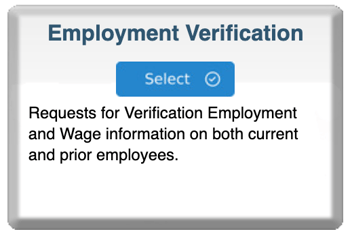
- Locate the Employment Verification card
- Click the blue Select button
Step 2: Choose Service Type
Select an Employment Program
Choose based on your needs:
- Click Employment ONLY for basic confirmation
- Click Employment & Income for comprehensive verification with salary details
Step 3: Complete Order Information
Your Information
Your Name: Enter your first and last name (you as the requestor)
Your Email: Critical - this is where results will be delivered
Date: Enter today's date (MM/DD/YYYY)
Tracking Number: Enter loan file number or internal reference
Step 4: Enter Employer Information
Employer Name: Complete legal name (include Inc., LLC, Corp., etc.)
Employer Address: Full street address
Address 2: Suite/unit number (optional)
City, State, Zip: Complete location details
Step 5: Enter Employee Information
Employee First Name: Legal first name as used by employer
Employee Last Name: Legal last name as used by employer
Employee Middle Name: Optional but helpful for common names
SSN: Complete 9-digit Social Security Number (required)
Step 6: Add Comments (Optional)
Use this field to provide context:
- "Need verification for mortgage loan application"
- "Urgent - loan closing on [date]"
- "Please verify employment from [start date]"
- "Former employee - verify dates of employment"
Step 7: Upload Documents
Required: Authorization signed by the employee
Upload supporting documents:
- Signed authorization form
- Loan application showing employment info
- Any employer-specific authorization forms
- Previous verification attempts (if applicable)
Step 8: Select Payment Type
Choose your payment method:
- Credit card on file
- New credit card payment
- Invoicing (if approved)
- ACH payment (if configured)
Step 9: Review and Submit
Pre-Submission Checklist:
- Correct service selected (Employment ONLY vs. Employment & Income)
- Email address is accurate
- Employee name matches employer records
- Employer name and address complete
- Employee SSN is correct
- Authorization uploaded
- Payment method selected
Click Submit Order
What's Next
Immediate Confirmation
You'll receive an email with:
- Order reference number
- Service type ordered
- Order details summary
Results Delivery
Verification results will be emailed to your specified address:
- Complete employment verification report
- All requested information in digital format
- Can be printed or saved to loan file