
Commercial VOM (Verification of Mortgage)
Commercial VOM verifies mortgage loan information for commercial properties. Use this service for business credit decisions, refinancing evaluations, and commercial real estate transactions.
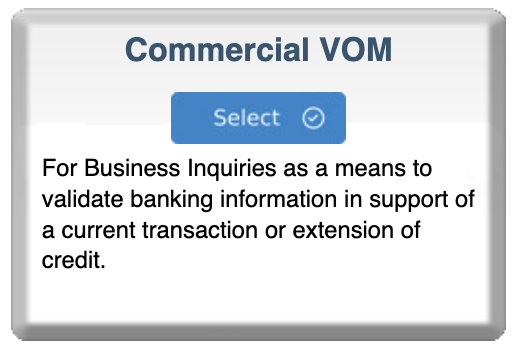
Step 1: Select Commercial VOM
- Log in to your bankVOD Consumer Requestor account
- Click ORDER A VERIFICATION from the Main Menu
- Locate the Commercial VOM card
- Review the description: "For Business Inquiries as a means to validate banking information in support of a current transaction or extension of credit"
- Click the blue Select button
Step 2: Select the Bank
IMPORTANT: Verify the mortgage is held at one of the supported banks before proceeding.
Click Select on the appropriate bank card.
Step 3: Enter Return Fax Number
UNIQUE TO COMMERCIAL VOM: Results are delivered via fax.
• Format: (###) ###-#### (Example: (615) 555-1234)
Step 4: Complete Order Information
Your Information
- Your Name: Enter your first and last name (you as the requestor)
- Your Email: Where you'll receive order confirmations and status updates
- Date: Enter today's date (MM/DD/YYYY)
- Tracking Number: Enter loan file number or internal reference for easy tracking
Step 5: Enter Business/Company Information
Bank's Customer Name
- Enter the legal business name that holds the commercial mortgage
- Use exact legal name with suffixes (Inc., LLC, Corp., etc.)
- Must match how bank knows the borrower
Company Name
- Enter YOUR company name (the requestor's company)
- This identifies who is requesting the verification
Step 6: Enter Business Address
Address 1: Primary street address of the business
Address 2: Suite or unit number (optional)
City: Where the business is located
State: Two-letter abbreviation or full name
Zip: 5-digit ZIP code (or ZIP+4)
Step 7: Enter Tax ID (Optional but Recommended)
Tax ID#: Federal Tax ID Number (EIN)
Format: 12-3456789 (9 digits)
- Helps bank identify correct business
- Prevents confusion with similar names
Step 8: Enter Account Information
Account Number(s)
- Enter mortgage loan account number as it appears on statement
- Use exact account number with all digits
- Multiple accounts: Form provides up to 3 rows
State (for each account)
- Enter state where each mortgage property is located
- Helps bank locate correct loan
For multiple mortgages:
- List each account number separately
- Include state for each account
Step 9: Add Comments (Optional)
Provide context for your verification:
- "Verifying commercial mortgage for refinancing application"
- "Customer applying for additional commercial line of credit"
Step 10: Upload Documents
Required: Authorization signed by the business/borrower
Upload:
- Signed authorization from business/borrower
- Authorization letter from corporate officer
- Board resolution (if required)
- Any bank-specific authorization forms
Step 11: Select Payment Type
Choose your payment method:
- Credit card on file
- New credit card payment
- Invoicing (if approved)
- ACH payment (if configured)
Step 12: Review and Submit
Pre-Submission Checklist:
- Return fax number is correct and operational
- Bank selected holds the commercial mortgage
- Email address is accurate
- Business/customer name matches bank records
- Business address is complete
- Account number(s) are correct
- Tax ID is correct (if provided)
- Authorization documents uploaded
- Payment method selected
Click Submit Order
What's Next
Immediate Confirmation
You'll receive an email with:
- Order reference number
- Bank selected
- Fax number where results will be sent
Processing Time
Factors affecting timeline:
- Bank workload and responsiveness
- Complexity of mortgage
- Authorization completeness
- Time of submission
Results Delivery
Verification results are faxed to your specified number:
- May also receive email notification
- Contains detailed mortgage information
- Official bank verification format