
Download Forms
The Forms For Download page provides access to all necessary PDF forms and authorization documents used in the bankVOD verification process. These forms are fillable PDFs that can be completed electronically, then printed for faxing or mailing to financial institutions.
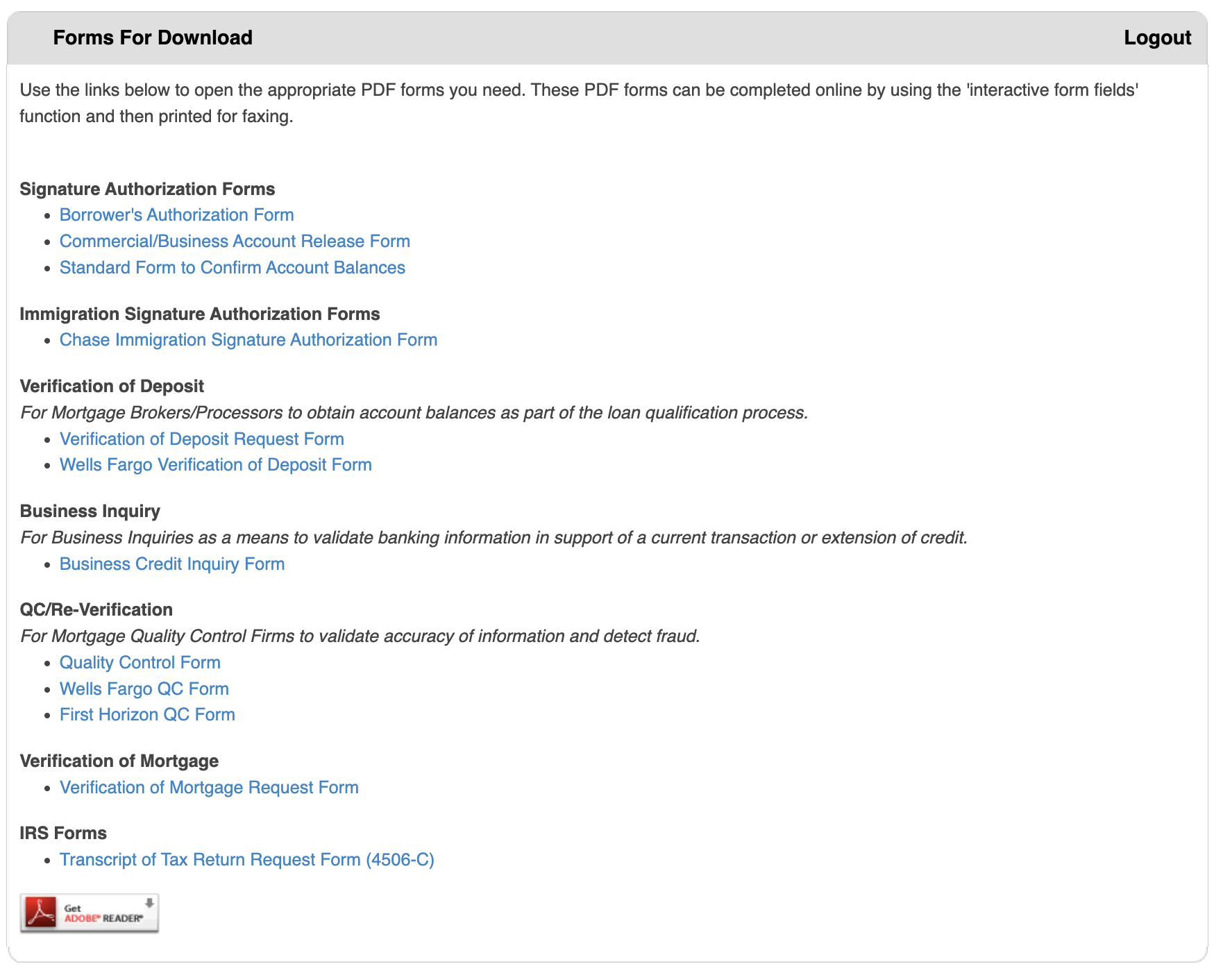
Step 1: Access Forms For Download
- Log in to your bankVOD account
- Navigate to Forms For Download from the menu
- Review the categorized list of available forms
Step 2: Download the Form You Need
- Locate the form in the appropriate category:
- Signature Authorization Forms
- Verification of Deposit (VOD)
- Verification of Mortgage (VOM)
- Quality Control (QC/Re-Verification)
- Business Inquiry
- IRS Forms
- Click the blue form link
- Save to your computer in an organized folder
Step 3: Open the Form
- Open the PDF in Adobe Reader (recommended)
- If form won't open, download Adobe Reader free from adobe.com
- Ensure you're using Adobe Reader, not a browser PDF viewer
Step 4: Complete the Form
- Click in the first field to begin
- Type information directly into fields
- Use Tab key to move between fields
- Select checkboxes or dropdowns as needed
- Review all entries for accuracy
Step 5: Save the Completed Form
- Use "Save As" instead of "Save"
- Save to local computer, not network drive
- Name file clearly (e.g., "VOD_ClientName_Date.pdf")
- Create backup copy after completing
Step 6: Print the Form
- Review form one final time for accuracy
- Print on professional letterhead if applicable
- Obtain all required signatures
- Make copies for your records
Step 7: Submit the Form
Faxing (Most Common):
- Verify correct fax number
- Include cover sheet unless specified otherwise
- Keep fax confirmation receipt
- Follow up if confirmation not received
Mailing:
- Use certified mail for important documents
- Keep tracking information
- Allow adequate processing time
- Include return envelope if needed
Direct Submission:
- Some forms (like Wells Fargo VOD) have online portals
- Follow specific institution instructions
- May have phone submission options
- Check institution website for current procedures