
Verification of Occupancy
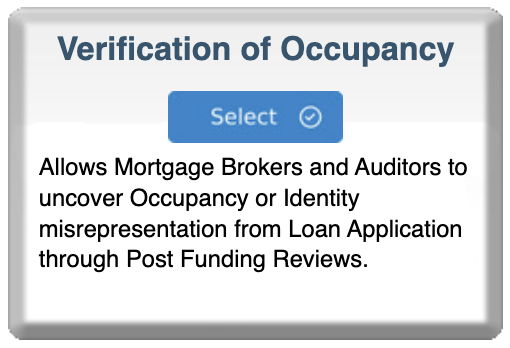
Verification of Occupancy (VOO) allows mortgage brokers and auditors to uncover occupancy or identity misrepresentation from loan applications through post-funding reviews. This service helps detect occupancy fraud and supports quality control programs.
IMPORTANT: VOO Certification Required BEFORE Ordering
Due to the sensitive nature of occupancy verification, bankVOD requires certification before ordering reports. This is a one-time process per company.
Step 1: Select Verification of Occupancy Program
- Log in to bankVOD
- Navigate to "Select a Program" page
- Locate the Verification of Occupancy card
- Click blue Select button
- Sample report link available to preview
Step 2: Complete VOO Certification of Compliance (REQUIRED)
After clicking Select, you'll see a popup modal: "VOO CERTIFICATION OF COMPLIANCE"
Why Certification Is Required:
Due to the sensitive nature of occupancy verification and potential implications for fraud detection, bankVOD requires all participants to certify compliance with verification standards and data protection requirements.
Good News: This certification is typically completed once per company. After approval, you can order occupancy verifications without re-certifying unless your company information changes.
Understanding bankVOD Verification of Occupancy
Service Description: "Validate application and property data by efficiently performing critical quality control checks and isolate any data inconsistencies that may indicate fraud."
Complete the VOO Certification Form
Required Field 1: Name of Company President, CEO or OFFICIAL
Enter the name of your Company President, CEO, or OFFICIAL acting on behalf of your company.
Required Field 2: Last Four Digits of SSN
Enter the last four digits of the Social Security Number of the Company Official.
Format: Enter the last 4 digits only
Required Field 3: Parent Company EIN
Enter your Parent Company's Employer Identification Number (EIN).
Format: 9 digits (e.g., 12-3456789)
Required Field 4: Parent Company Name
Enter your parent company's legal name exactly as registered.
Required Field 5: Business Primary Physical Address
Enter the primary physical address of your business.
Compliance Acknowledgment
Important Statement: "I understand that failure to meet the requirement and/or maintain the required documentation may result in the removal of my organization from further participation in the VERIFICATION OF OCCUPANCY program."
Final Attestation Checkbox
Check the box to confirm:
- All information is accurate and complete
- Will maintain required documentation
- Company follows compliance policies
- Understand consequences of non-compliance
- Authorized individuals are properly identified
- Procedures are in place for verification
CAPTCHA Verification
- Enter the code shown in the image
- Case sensitive - match uppercase/lowercase
Submit Certification
Click "Submit" after completing all fields and verification.
Contact for Questions:
- Sean Dunlea: 630-483-4224 / sdunlea@bankvod.com
- Timothy Portley: 401-841-9090 / tportley@bankvod.com
What's Next
Processing:
- Certification submitted to bankVOD
- Information reviewed and verified
- Company approved for VOO access
- Can begin ordering reports
- One-time process (unless information changes)
Step 3: Volume Pricing Information
For Volume Discount Pricing Contact:
Timothy Portley: (401) 841-9090 / tportley@bankvod.com
Step 4: Ordering VOO Reports (After Approval)
Information You'll Need
- Property Information
- Borrower Information
- Loan Details
- Authorization
Complete Order Form:
Follow standard bankVOD order process to submit VOO request with all required information.